 7 min read
Intuitive Stack
Every Topic Is a Microstory
Your reader is the hero of this story, not your product. A microstory puts them in that role: a real problem, a guide who gets them through it, a visible win. Apply that structure to your technical writing.
Key Takeaways
- Effective documentation uses cues from storytelling, including narrative structure.
- People reading documentation are already stressed. The page should give them confidence from the top that they’re in the right place.
- The documentation is the guide, not the product. Its job is to get the reader through their problem, not to explain how the product works.
Years ago, when I was starting as a technical writer, the industry was filled with people with degrees in journalism and creative writing. The Technical Communication majors were few and far between. There was a joke that technical writing paid the bills and allowed for the poets and novelists to fund their passion projects at night.
What I couldn’t and didn’t appreciate at the time was that these colleagues were trained in storytelling. I dismissed it as unneeded in our work. Boy, was I wrong.
It took a course on filmmaking to open my eyes to storytelling. It made me recall a humanities class in high school where I learned about Joseph Campbell and The Hero’s Journey. I started to look at my work through a different lens (figuratively, not literally). It recast the characters and what my role was in the delivery of user assistance content. I was no longer merely a technical writer or information architect. My reader was no longer “the user.” I was a guide, helping shepherd ‘the hero’ around an obstacle in their path to transformation.
When accurate documentation still fails
A microstory, like any story, has an inciting incident, an obstacle to overcome, and a resolution. It doesn’t need to be a grand epic.
During the IDEAS conference, I was talking with Rahel Bailie, who told me about the week her internet provider swapped in a new fiber router. Every device in her home needed new Wi-Fi credentials, printer included, and she had something she urgently needed to print.
The printer’s user manual told her to push the ‘home’ button. There was no ‘home’ button on her printer. She searched for it, and found instructions showing a panel that looked nothing like the one in front of her. Twenty minutes and a few dead ends later, she texted her partner. His answer: delete the printer and add it again. That worked. Nothing in the documentation had ever mentioned it.
I’ve had a version of this too, minus even the bad instructions. I was buying concert tickets from Ticketmaster. At least I was trying to. I was signed into my account, and had tickets in my cart. With the countdown timer running before the tickets would be released for someone else to purchase, I was literally on the clock.
I kept being looped back to a screen telling me to log in to my account. I was logged in! Ticketmaster’s ‘helpful’ advice was to switch to a different device. Fine, I switched from my phone to my laptop. Same error with the laptop, but now the advice was to switch my Wi-Fi network. (How is that even practical? Do they think people have multiple Wi-Fi networks in their home they can just jump from one to the other?) I was so frustrated that I wanted to chuck my laptop and my phone. (This would be the stress and cortisol moment.)
I went deep into Ticketmaster’s feedback form to report my experience. There was an option to attach an image, so I went looking for the screenshot I’d already taken. Surely I could attach it from my gallery. No. All I could do was take a live photo right then, which made zero sense to me. Rahel at least had a bad instruction to blame. I didn’t even get that. I needed a rescue rope.
I never did get my tickets. And if Ticketmaster ever reads this, it’ll be the only way they know I couldn’t even use their own form to report the problem. I’m pretty certain they don’t care.
But you should. Your users have a task they’re trying to accomplish with your product. You want them to succeed as efficiently as possible. Otherwise, it’s you and your product that look bad.
The narrative arc every help topic needs
When a user lands on a help topic, something has already gone wrong. Rahel needed to print and I wanted to buy a concert ticket. Your users are no different: they have a problem and need it resolved, and they are not sure they have found the right page.
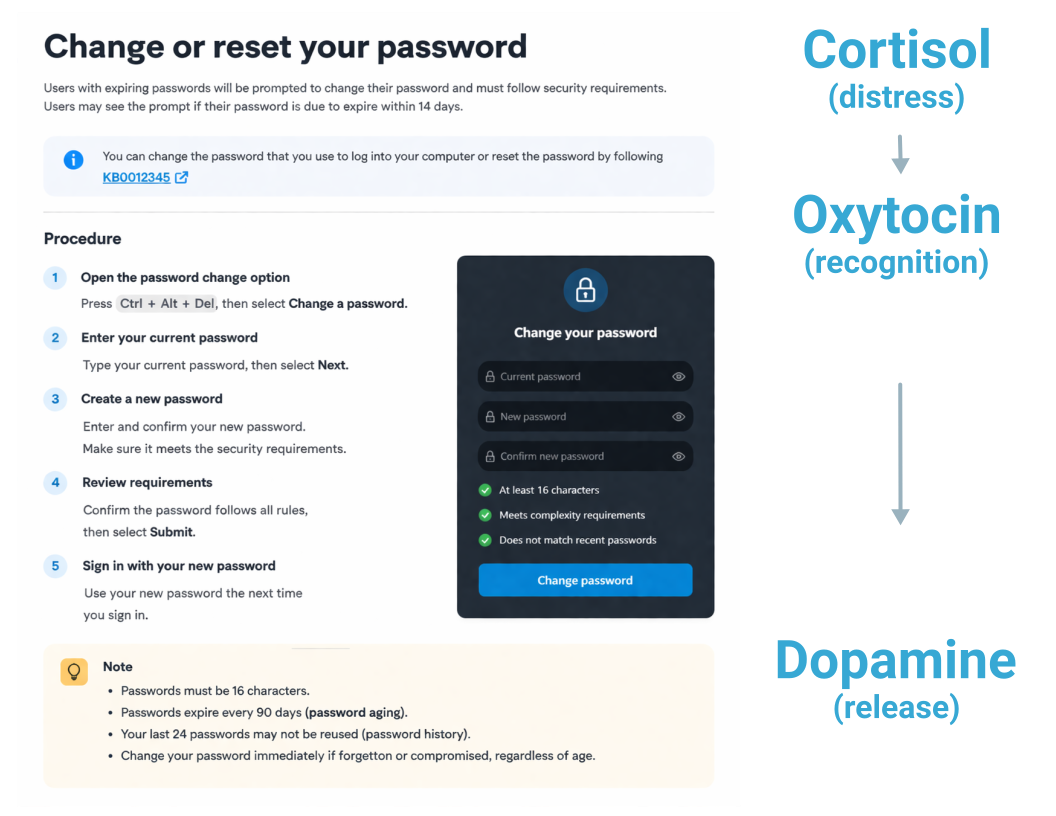
That uncertainty is not just an emotion. Their cortisol level, the stress hormone, is elevated. If the first few lines of your topic do not immediately signal “you are in the right place,” they leave (or chuck their laptop).
Good documentation recognizes where the user is at and meets them where they are. As the topic makes the user’s situation visible and accurate, oxytocin rises: the recognition response, the sense of being understood. When the user completes the task, dopamine releases. The story is done. Happy ending. Rahel eventually got that relief, from her partner, not from the manual. I never got it at all.
Bad documentation ignores all of this. It puts the product front and center, not the user.
The hero’s journey: user as hero, writer as guide
The hero’s journey maps onto almost any human experience of challenge and resolution. A hero has a problem. A guide provides the path. The hero works through the obstacles and arrives transformed at the other side.
In user assistance content, the reader is the hero. They came to your help system because something is blocking them. The documentation is the guide.
Donna Lichaw makes the same point about product design in The User’s Journey: “As much as you want your business to be the hero of the story, your users are the real heroes. Think of your product as Dorothy’s ruby slippers. Without your product, she would never be able to solve her problem.”
The same logic applies to every help topic. The guide’s job is not to explain how the product works. It is to get the hero through the problem. Rahel’s manual explained the product. It never got her to a working printer. That distinction rewrites what topic-based authoring is for: how topics are opened, structured, and closed.
Six questions for topic-based authoring
We use the following six questions, drawn from the hero’s journey, as a pre-writing checklist for every topic. You can map the questions directly onto your topic-based authoring.
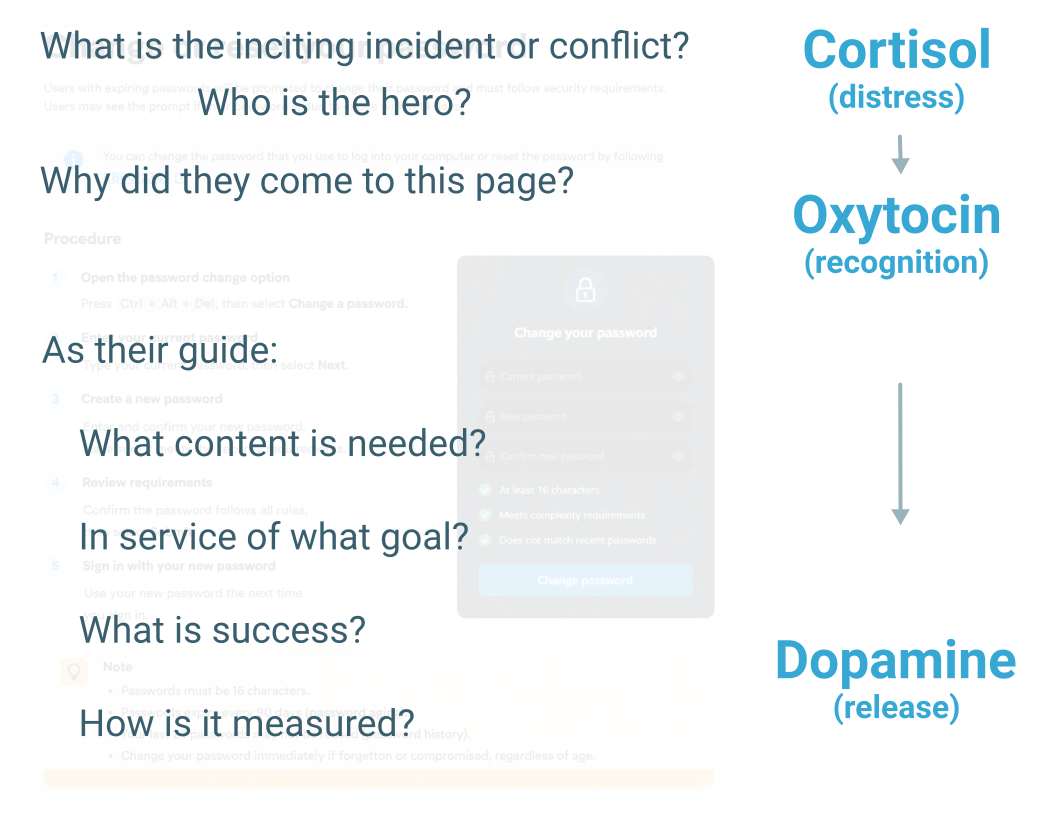
What is the inciting incident or conflict? What situation brought this user to this page right now? A password is expiring in 14 days. An error message appeared at login. An account is locked. This is the cortisol trigger.
Who is the hero? Which user are you writing for? A new employee who has never changed a corporate password is a different reader from a power user managing multiple accounts. The answer determines vocabulary, assumed context, and how much procedural detail the topic needs.
Why did they come to this page? Not what they are doing, but why they care. The reader needs context, otherwise they assume they are in the wrong place and they leave. This is where oxytocin is built or lost.
What content is needed? Given the hero and the situation, what is the minimum necessary to get them through? Be judicious about what you choose to include. Everything else is noise. Noise increases cognitive load. Cognitive load increases the cortisol levels.
In service of what goal? What is success? What does the completed task look like? A result statement, “Your new password is active. You can sign in immediately,” is the dopamine moment. It confirms the story is over. Leaving it out ends the topic without telling the user whether it worked.
How is it measured? At the program level: is this topic working? Support ticket volume on this task, task completion rates, search dead-ends on related queries. These signals tell a documentation team whether the narrative arc is landing in practice, not just in theory.
The six questions above are a starting point. The Intelligent Content Maturity Assessment extends that diagnostic to the program level: topic-level structure, purpose clarity, and measurability across your full content set. It takes 30 to 45 minutes and produces a clear picture of where to focus next.
References
- Donna Lichaw. (2016). The User's Journey: Storymapping Products That People Love. Rosenfeld Media.
- Dickerson, S.S. and Kemeny, M.E.. (2004). Acute stressors and cortisol responses: A theoretical integration and synthesis of laboratory research. Psychological Bulletin.
- Zak, P.J.. (2015). Why inspiring stories make us react: The neuroscience of narrative. Cerebrum: The Dana Forum on Brain Science.
- Schultz, W.. (1998). Predictive reward signal of dopamine neurons. Journal of Neurophysiology.